.webp)
Enhance your HP computer experience with this app
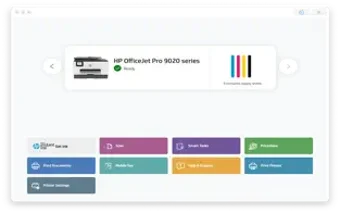
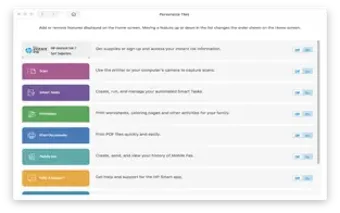
HP Smart for Desktop is a free business and productivity app that provides various features to enhance the user experience of HP desktop computers. It provides you with tools to optimize your computer's performance. It also offers features such as file backup and restores remote file access and printer management.
Top Recommended Alternative

HP Smart for Desktop allows you to manage and monitor your HP desktop computers from a central location, including the ability to troubleshoot and resolve issues remotely. The entirety of the app also provides easy access to various HP support resources for its users.
For HP users by HP
HP SMART for Desktop works by providing you with a software application that can be installed on your HP desktop computer. Once installed, the application runs in the background, providing you with various features and tools to manage and optimize your computer's performance. One of the primary functions of the app is to provide you with access to HP resources, such as documentation, updates, and drivers.
This allows you to easily download and install the latest updates and drivers for your computer, ensuring that it is up-to-date and running smoothly. Another key feature of this is its ability to monitor and troubleshoot issues with the computer. The software can detect and diagnose various issues, such as hardware failures or software conflicts, and provide you with guidance on how to resolve the problem.
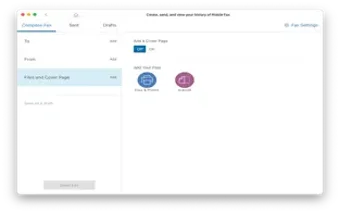
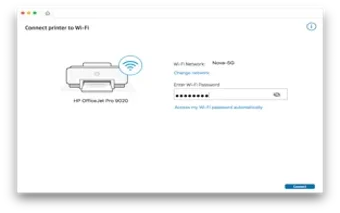
Additionally, it includes various optimization tools, such as disk cleanup and defragmentation, that can help improve the computer's performance. It also provides you with tools for backing up and restoring files, managing printers, and remotely accessing files and folders from other devices. However, the software may consume a significant amount of system resources, which can affect the performance of older or less powerful computers.
A great HP app
The overall experience of using HP SMART for Desktop can vary depending on the user's needs and preferences. For users who are looking for a comprehensive tool to manage and optimize their HP desktop computer's performance, it can provide a wide range of features and tools that can be helpful. The software's user-friendly interface makes it easy to navigate and access support resources.


.webp)
.webp)
.webp)
.webp)
.webp)
.webp)





.png)